Scrivener + EndNote crib sheet
After much prevaricating I’ve downloaded Scrivener. Why? Because everyone told me I should, and I was convinced after watching the demo video (10 minutes well spent). For those of you who don’t know what it is, it’s a writing tool that makes long writing projects easier to manage. One thing that I w

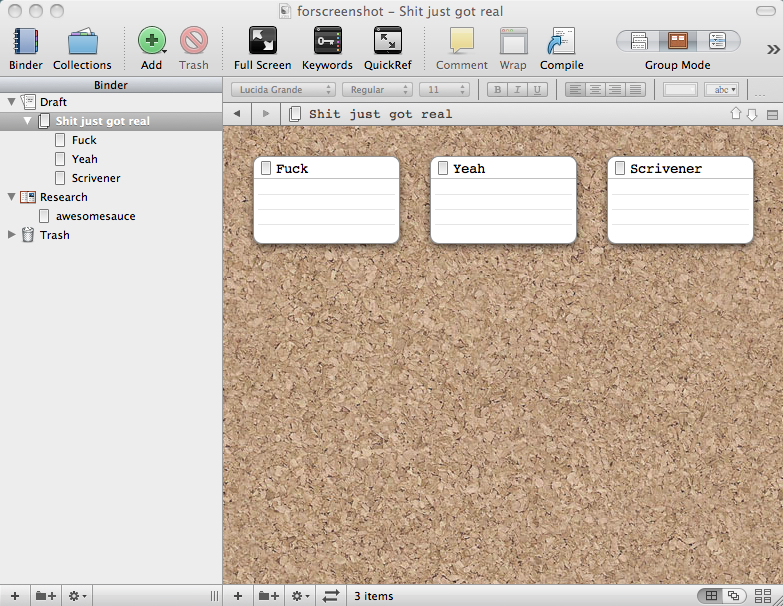
After much prevaricating I’ve downloaded Scrivener. Why? Because everyone told me I should, and I was convinced after watching the demo video (10 minutes well spent). For those of you who don’t know what it is, it’s a writing tool that makes long writing projects easier to manage. One thing that I wasn’t sure of when I downloaded it was how it links with EndNote, my citation management tool of choice.
A brief look around the Internet and I realised it does. I then realised I needed to know a bit more about EndNote to make that useful. I sent this to Dubber earlier, then realised it might be of wider interest. So, as sharing is caring, here’s my Scrivener + End Note cribsheet:
Overview
Once you have linked Scrivener and EndNote, cmd+Y will bring up EndNote’s library, from where you can copy & paste or drag and drop content into Scrivener. This will use the EndNote markup which looks a bit like this: {Hickman, 2010 #199@102-103}.
When you are finished drafting, compile from Scrivener to Word, and then run Tools > EndNote > Format Bibliography to convert the citations into your selected format and to generate a bibliography.
How to Link Scrivener to EndNote
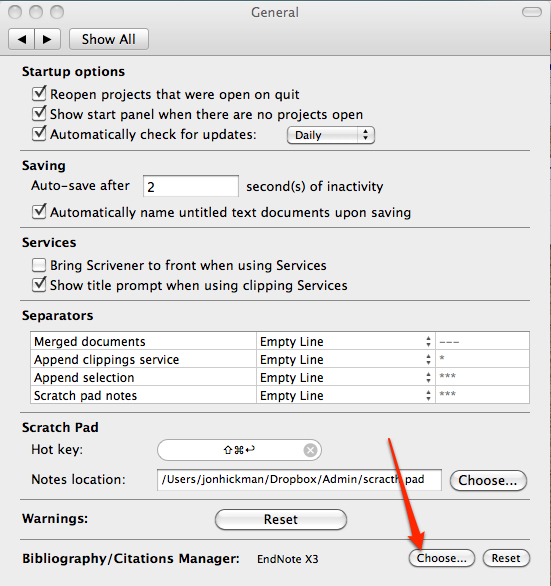
Go to Scrivener > preferences > general and tell it where your EndNote application is.
EndNote Mark Up
Page numbers
When you place a citation you can add page numbers by typing @the page numbers before the closing } bracket.
e.g. like {Hickman, 2010 #199@102-103} = (Hickman, 2010 pp. 102-103)Date only
To omit author name just leave the comma but delete the author name:
{, 2010 #199@102-103} = (2010 pp. 102-103)
With annotations
To prefix the citation use a backslash before the start of the EndNote data:
{e.g. \Hickman, 2010 #199} = (e.g. Hickman, 2010)To suffix the citation, use `, after the EndNote data:
{Hickman, 2010 #199`, his emphasis} = (Hickman, 2010, his emphasis)
Importing drafts from Word
When importing documents from MS Word, it is best to first remove the citation formatting and revert back to EndNote mark up. That allows you to freely edit and remove citations and will ensure that your bibliography is correct when you output it later on.
Tools > Endnote > Unformat citation(s)
—–
Update, August 2011
I spotted this video (by YouTube user Jigglebent), which takes you through all of the items discussed here. May be useful to watch that and then use the notes for reference:
I’ve also made an A4 PDF to print out and pin up over my desk, which might be of use:

EndNote-cribsheet.pdf
Download this file
——
A new bibliography style
I’ve never been happy with the default list of bibliography styles. In particular the Harvard and Author-Date styles don’t seem to want to display page numbers in citations, and the bibliography style for online materials seems a bit odd.
This bibliography style is my current Harvard variant, based on BCU’s Harvard referencing guidance for students.
